




February 22, 2016
In addition to numerous enhancements and updates of current modules, In this February 2016 release of 4castplus, we’ve introduced several key new features including:
- Period Close for financial cutoff of timesheet modules
- A custom designer for the Daily Jobsite LEM report
- A complete redesign of the Adjustments module for improved productivity and ease-of-use
- A new Calendar as part of the Labor profile to set Available Hours
- Many enhancements to the Jobsite Timesheet
- Ability to Change the workpackage of a timesheet entry
That’s just a few of the new features – please keep reading to discover more and learn how to find these new & enhanced capabilities. As always, we’re eager to hear your feedback so feel free to contact us to discuss any of these updates.
AREA: Reporting
NEW: Custom Daily Jobsite Report Designer
Click on the screenshots to the right for location and a glimpse into the interface.


Additional Data Fields and Reports.
- The following data fields have been added into the Project and BI Detail Reports.
- Created By
- Posting Date
- Posted By
- The following data fields have been added to the WBS (Revenue), Project Details and BI Custom Report datasets:
- Customer
- FTC – Forecast to Complete (Hours)
- FAC – Forecast at Complete (Hours)
- A new Excel report has been added to the Project Dashboard > Project Reports > Time-phased Reports. See screenshot to the right.
- The Vendor Report in Business Intelligence > Resource Reports > Vendor Reports has been enhanced to provide reporting for all vendor transactions, or specific vendor transactions, from vendor-related cost capture modules (Timesheets, Vendor Invoice Tracking and Adjustments).
- Pass Thru Transactions have now been added to the Project Dashboard. Select Revenue View for the Dashboard, and click on Actual Revenue to see the Pass Thru Transactions and Total Spend for your project. Click on screenshot to the right.

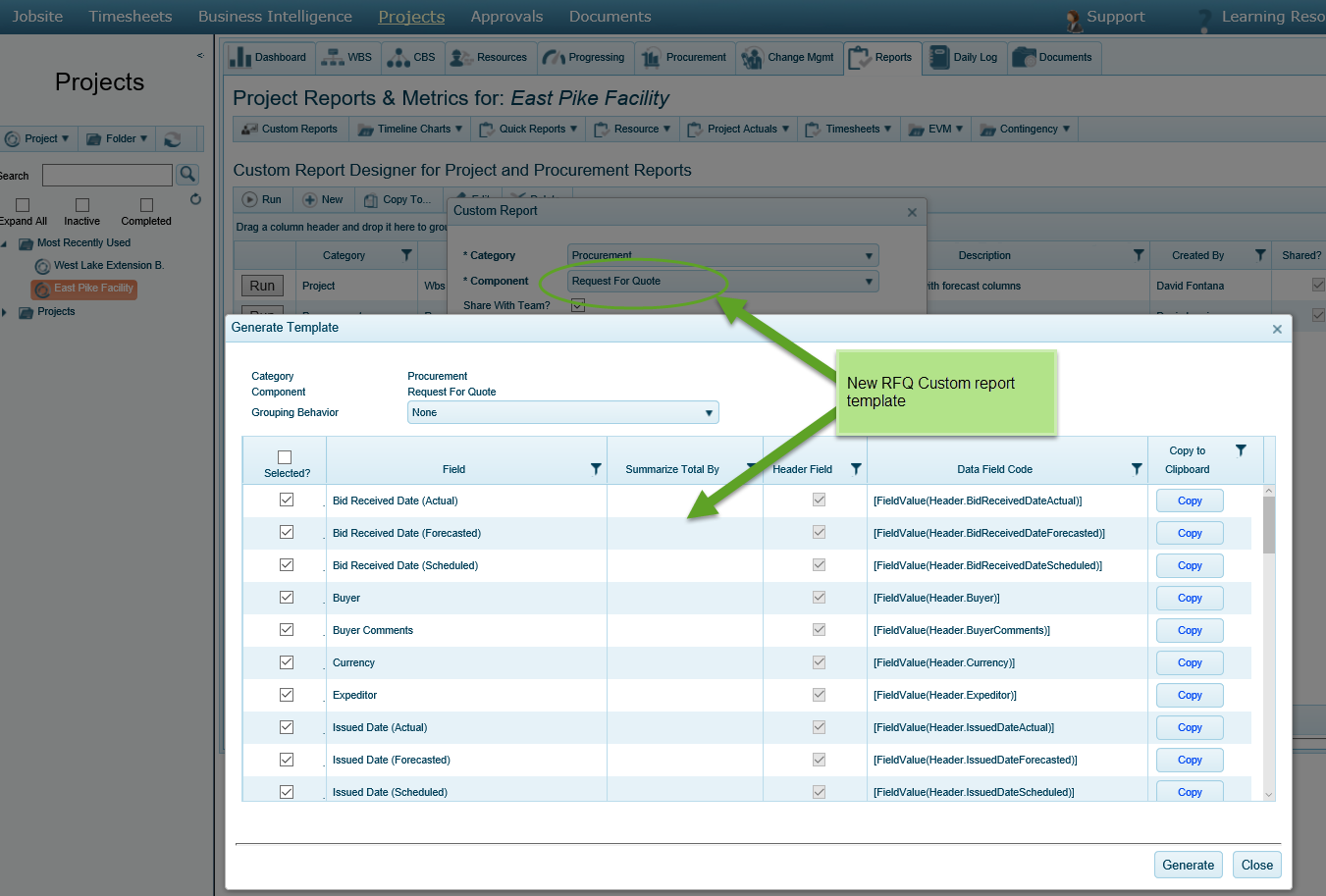
- A new Request For Quote (RFQ) Dataset has been added to the Custom Report Builder. Click on screenshot to the right.
AREA: Finance & HR
NEW: Period Close
- The desired Timesheet. Including: Weekly Timesheets, Daily Jobsite, Adjustments, Vendor Invoice Matching
- Start Date
- Frequency
See the screenshot to the right for the location of Period Close in Configuration > Company Profile > Finance.

Redesign of the Adjustments Module
- Mass update of projects, work packages, rates, quantities, etc.
- Add ‘New’ timesheet entries that may have been missed in a Timesheet or closed Period can now we created.
- In addition to New and Modify Adjustments, Reporting for this feature has been enhanced to provide you extended Adjustments reporting.
- Run the Adjustments Report to view all Adjustments entered into 4castplus
- Support your customer invoicing with an Adjustment Invoicing Back-up Report, which outlines all of the adjustments entered for a customer.

Available Hours Update

Updates to the Quickbooks Live Link.
The Live Link has been fully extended now to allow you to export invoice Discounts and Surcharges.
AREA: Construction Management
Enhancements to the Daily Jobsite Timesheet
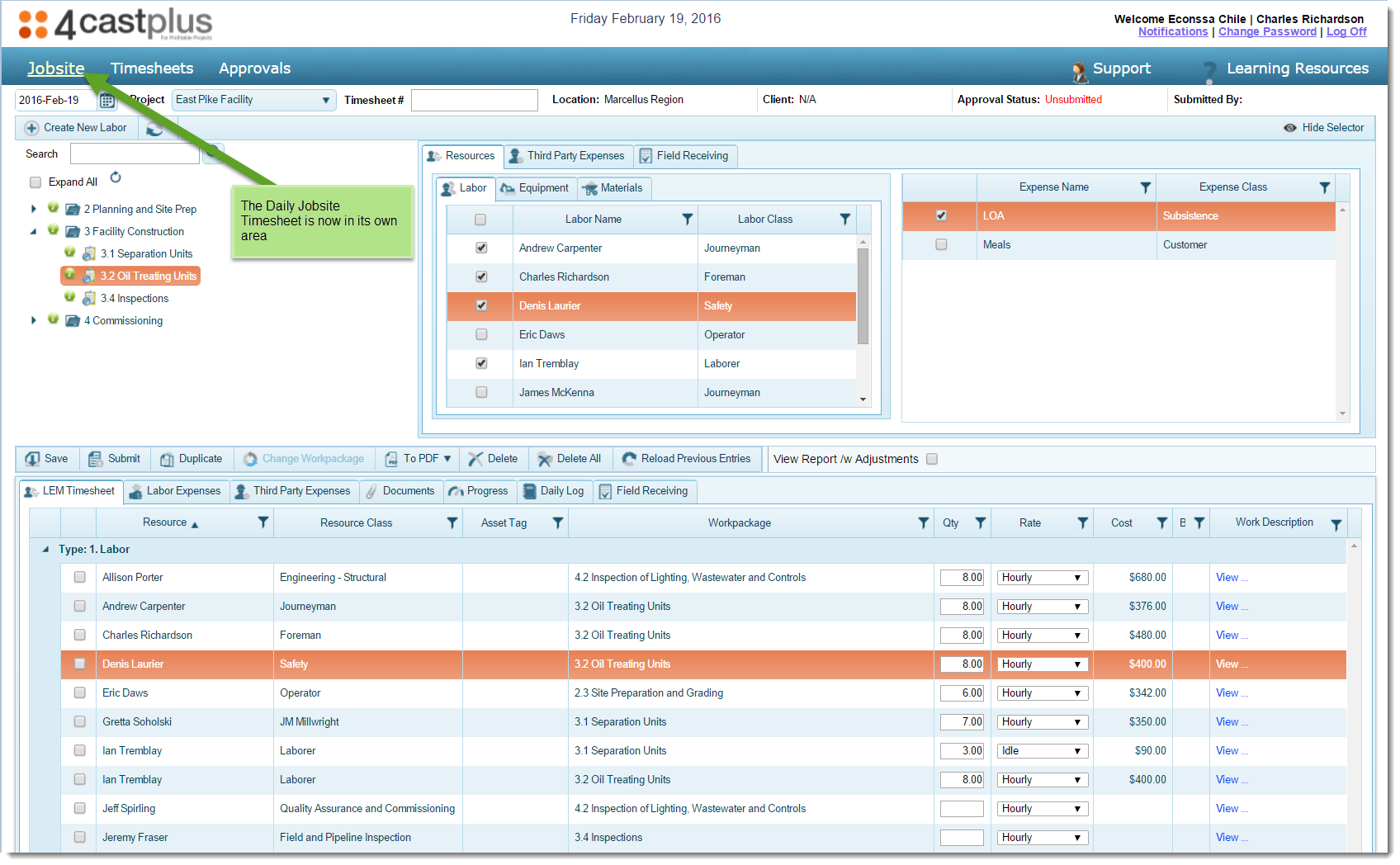
- Relocation. The Jobsite Timesheet can now be found in its own area on the main Navigation bar. Check out the new location under Jobsite.
- Update of date selection. Previously, the Timesheet calendar was used for date selection and remained visible in the left-hand pane. This has been updated with a drop-down that will then bring up the Timesheet calendar for selection.
- Ability to Show/Hide selector panel. Once you have selected your resources for your Jobsite, collapse the Selector pane to gain more room in the Tracking grids.
- Change Work Package easily from within the Tracking Grid.
- User Interface updates including column resizing and grouping, to reduce the amount of vertical scrolling needed to view and manage timesheet data.
- View your Jobsite Report Template as submitted, or check View with Adjustments to see your Jobsite Report with all submitted Adjustments recorded on it.

Change Management Enhancement

AREA: Timesheet Tracking
Change Workpackage on Timesheets
- All timesheets – Jobsite and Weekly – have a new usability feature, Change Workpackage. This allows you to easily update your timesheet data from within the timesheet grid and quickly switch the activity. Do this by selecting the transaction and clicking on Change Workpackage. See the screenshot to the right.
- The Change Work Package enhancement has also been extended to My Timesheet Approvals to allow approving Project Managers to change workpackages without having to reject and send back timesheets for modification. In addition, approving Project Managers can now update timesheet external comments from within Labor Timesheet Approvals.

Internal Comments

Vendor Invoice Tracking Enhancements.
- Addition of Clear Filters button to easily and immediately clear all selected filters
- Addition of Revenue Accrual column
Fixed Price Billing Enhancement
This release provides a connection between the Total Billable as per your project Progress Measurements and the Billing of Total Billable. In Billing, use the Progress Billing feature to view the Total Progress Billable, Total Billed and Remaining Amount to be Billed for each workpackage. Create your overall Progress Billing by inputting the specific amount you wish to bill for each workpackage in your Fixed Price project. Provide your customer with the new Progress Draw report, complete with customer signature, for support of your project progress billings. Look for this new feature in Project > Billings.
Timesheet Administration Enhancements
Jobsite Timesheets can now be Cancelled and/or Deleted. Check out this new control feature in Approvals > Administration > Timesheets Administration
AREA: Usability
User Interface Enhancements.
1. Better Use of Space. We’ve gone through every screen and module, and improved the layout so as to maximize the use of space. This means more information available to you, less scrolling and easier navigation. We’d love to hear from you if you find areas of improvement that could further maximize the screen-space.
2. Look and Feel. The overall look and feel has been updated: including new icons, a new font typeface and bolder colors – let us know what you think!
3. Sticky Column Sizing. Many of the grids have now been updated to remember the column sizes & locations to allow you to tailor your interface.
Performance Enhancements
- The Projects tree search filter has been extended to allow you to search Programs as well.
- The Projects tree now displays ‘most recently used’ projects, to allow you to quickly access your most recently used projects.
- Loading behavior of the Projects tree has been enhanced for improved speed in loading projects.

New Presentations and Articles
Explainer Presentation on the new 4castplus e-LEM Portal
Check out the presentation below for a brief discussion on the new portal for capturing daily vendor costs from the Jobsite. Click the bi-directional arrows icon to display the presentation in full-screen.
If you want to learn more about this software upgrade and more – and we hope you do – please feel free to email us at info@4castplus.thedev.ca. Or, if you’ve landed on this page and you’re not already a customer, here’s where you can sign up for a free live demo of 4castplus.